Mail, calendar, contacts, tasks, notes, files, search, Today view and an assistant – on the computer and on the phone.
EVERYTHING IN ONE APP
What CollabNowPro covers.
Every feature is fully usable without the assistant. The assistant is an option, not a requirement.
In development
Mail
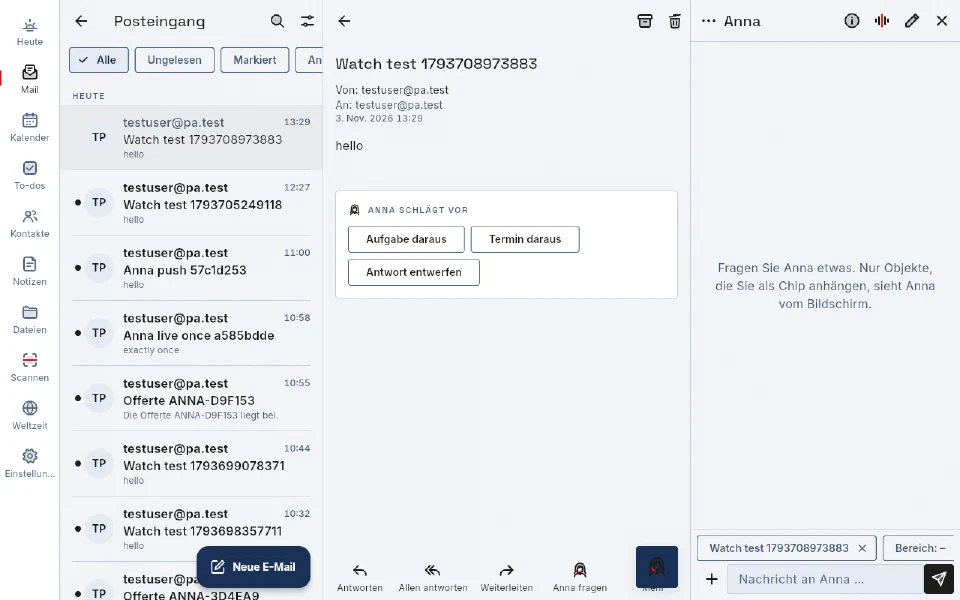
Multiple accounts via IMAP/SMTP, POP3 and Nextcloud Mail; Exchange accounts are planned. Folders, conversations, attachments, flags with due dates, archiving, signatures and send later. The app loads external images only after you allow it.
In development
Calendar
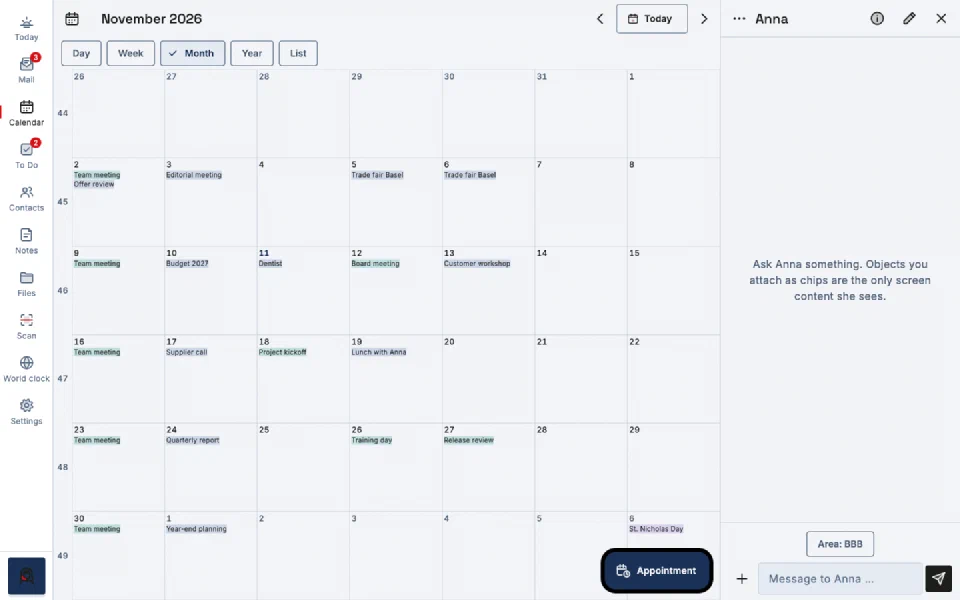
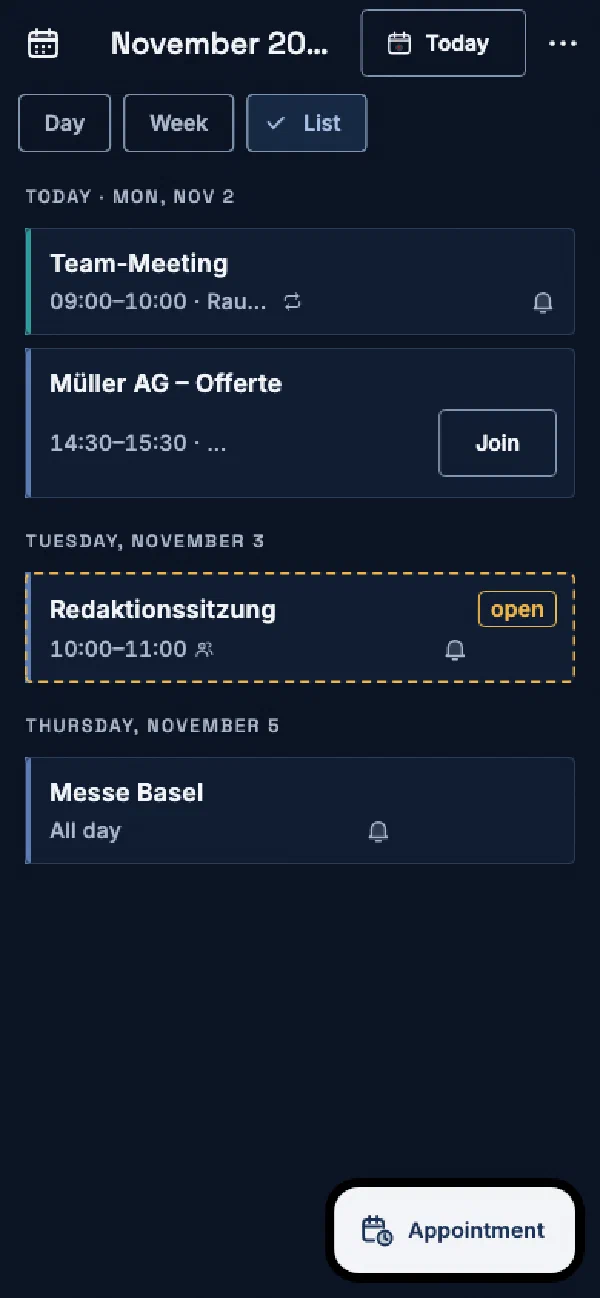
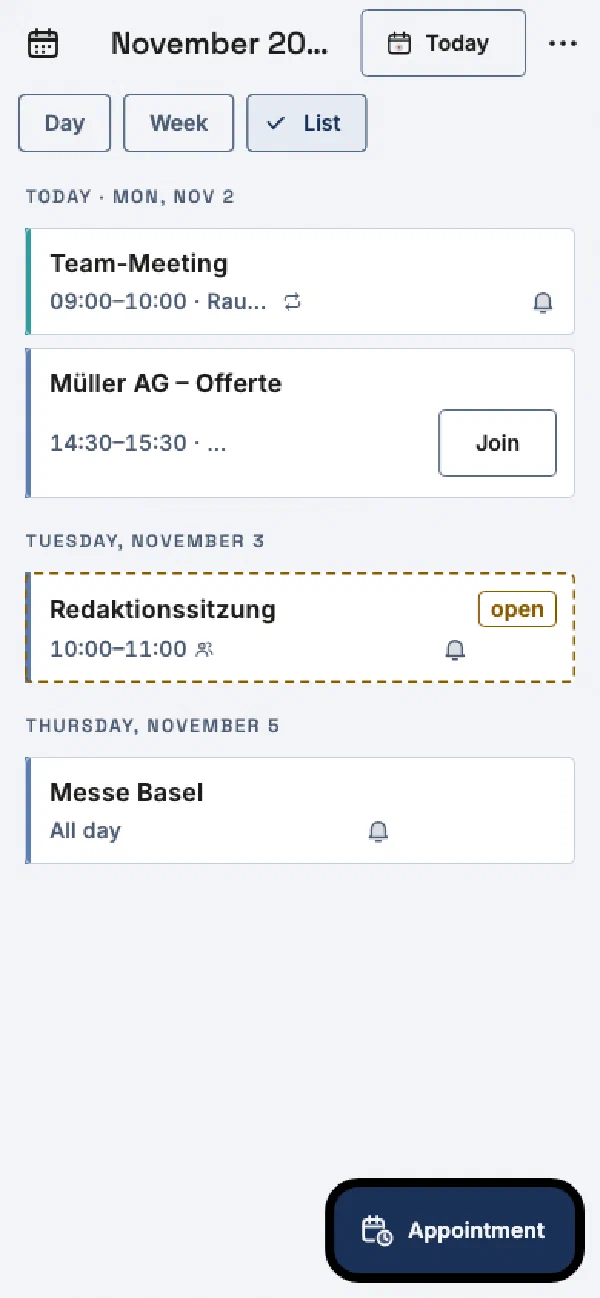
Agenda, day, week and month views, recurring events with exceptions, time zones, replying to invitations and multiple color-coded calendars – via CalDAV on your server.
In development
Contacts
Address books via CardDAV, search, contact lists, full editing and direct actions such as calling, email or navigation.
In development
Tasks
Lists, "My Day", due dates, reminders, priority and status, synchronized with Nextcloud Tasks.
In development
Notes
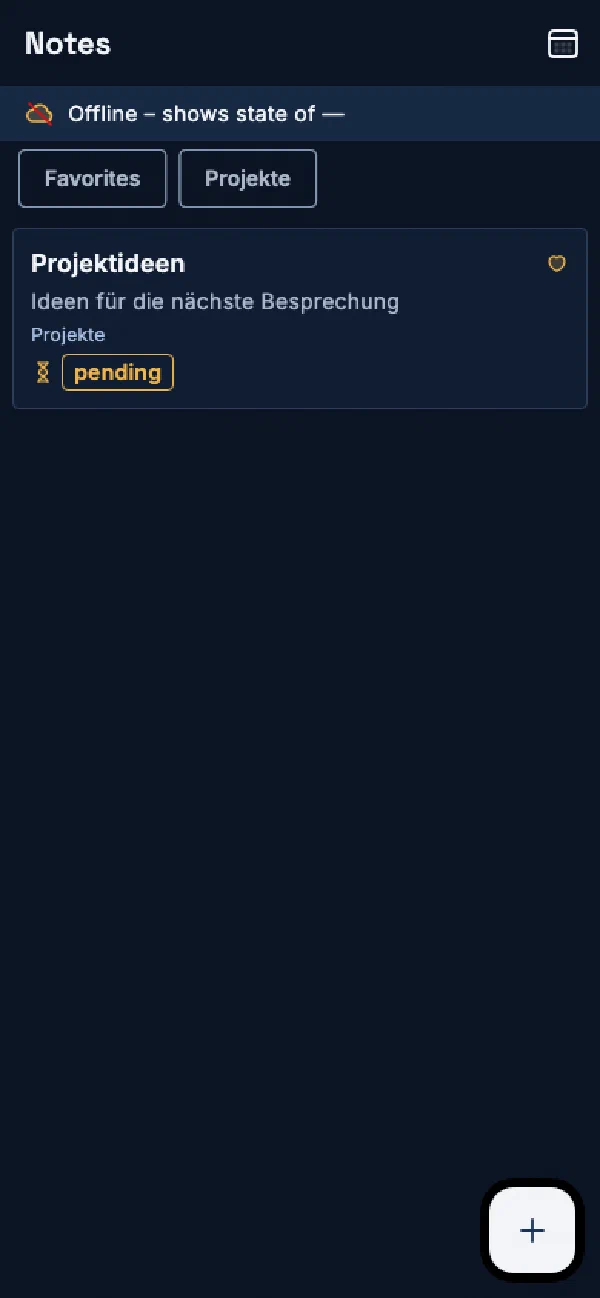
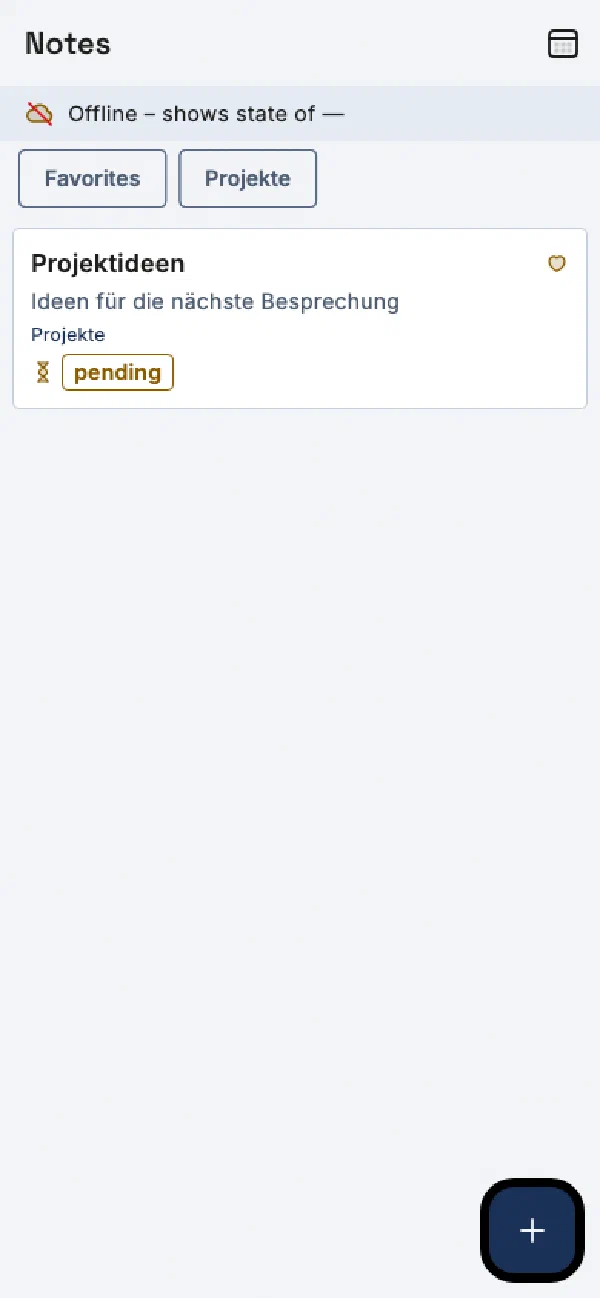
Categories, favorites and Markdown, synchronized with Nextcloud Notes. Notes created offline are marked as "pending" until the server confirms them.
In development
Files
Browse, open, upload and share files from Nextcloud and use them directly as mail attachments.
In development
Search everywhere
One search across mail, calendar, contacts, tasks, notes and files. The same search is available to the assistant as a tool.
In development
Today
The start view shows the day's appointments, due tasks, important unread mail, open questions from the assistant and reminders at a glance.
In development
Assistant in chat
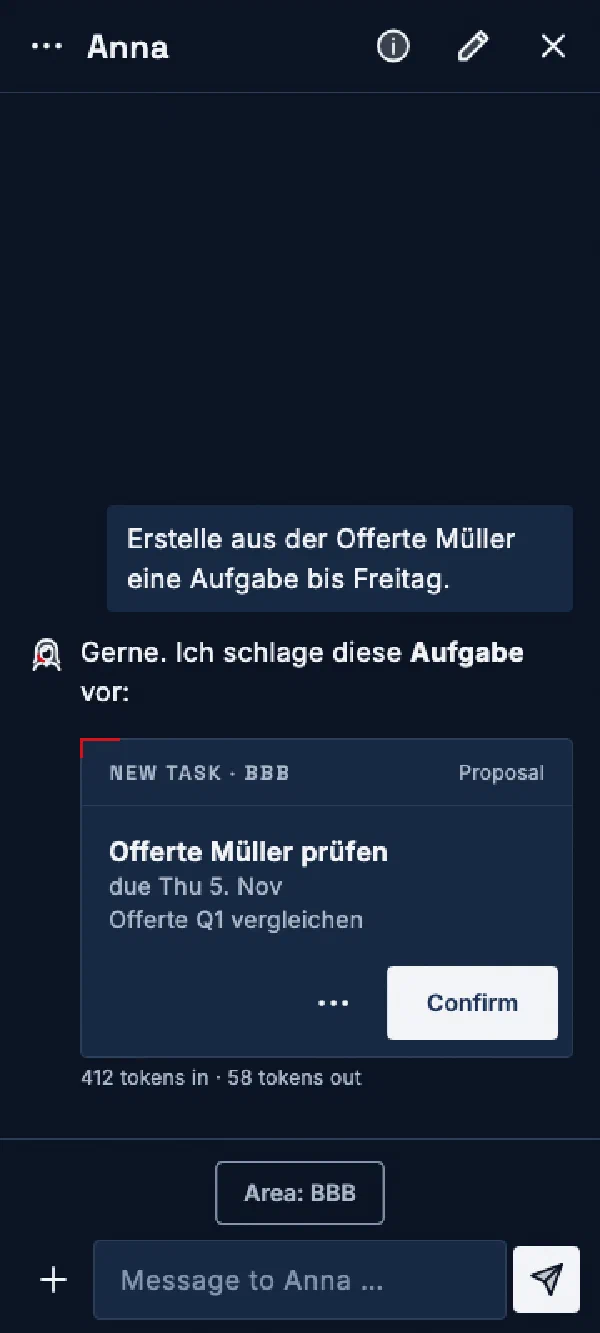
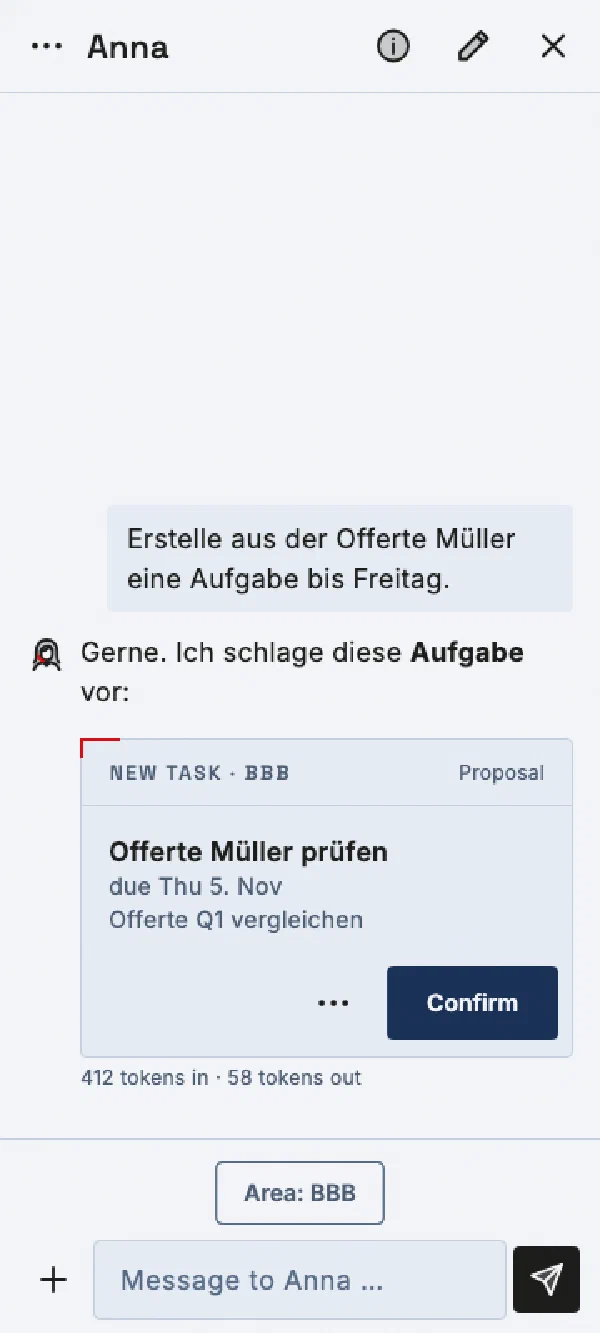
Reachable from every view. It summarizes and proposes tasks, appointments or reply drafts. Every change appears as a card that you confirm; only what the server has acknowledged is done.
Planned
Assistant by voice
Planned are a full-screen conversation and short voice requests. Chat and voice are to share the same areas, permissions and requests.
In development
Scanning
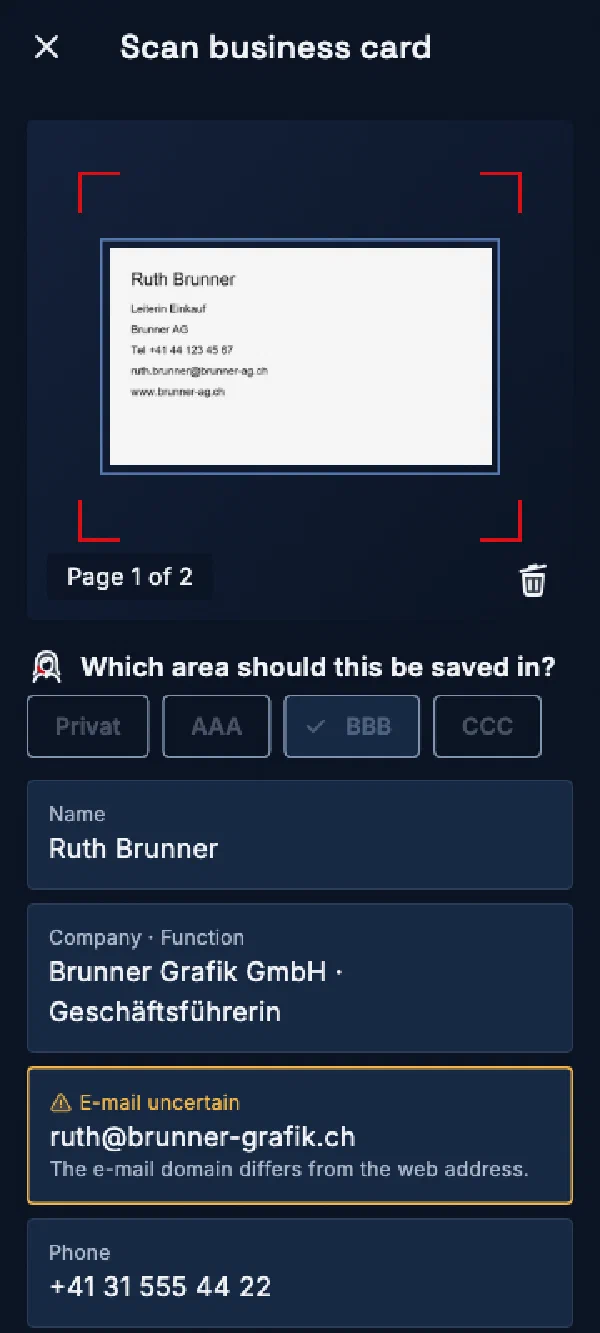
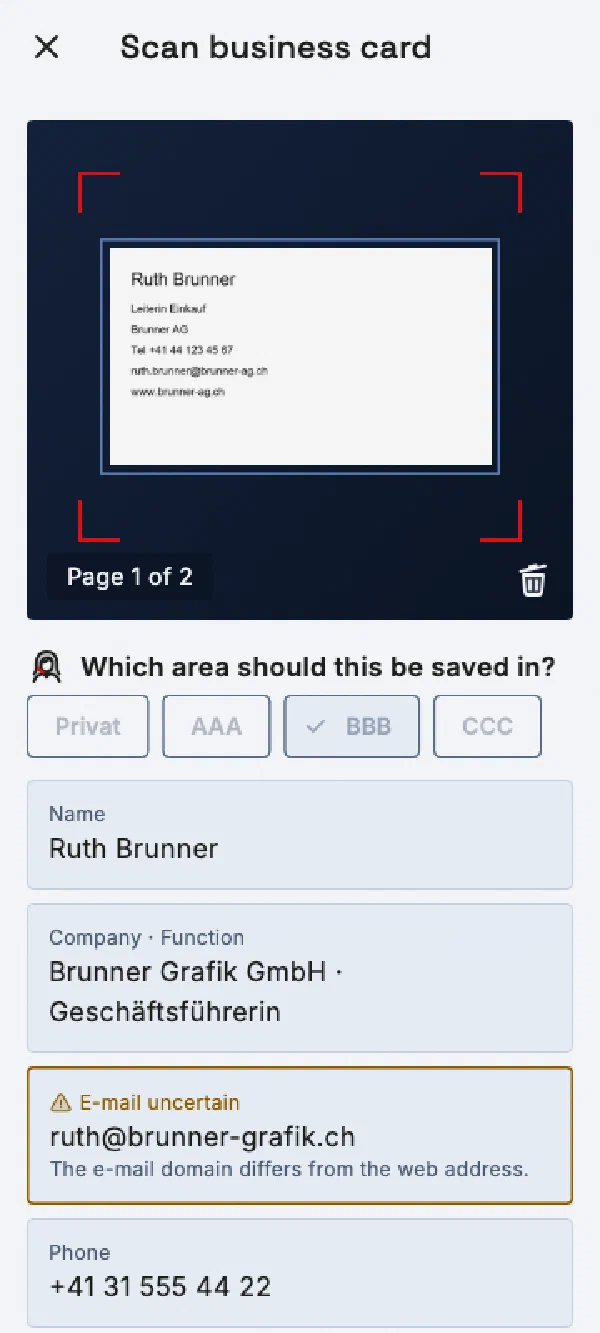
Capture a business card, receipt or document with the camera. Uncertain fields are marked, and you choose the destination yourself.
In development
App lock
Optional with Face ID, Touch ID or fingerprint. By default, notifications show no confidential content.
Status of the project documents as of November 11, 2026. CollabNowPro is not yet available.
ON THE COMPUTER
Sidebar on the left. Assistant on the right.
On the computer, CollabNowPro runs as a web app in the browser on Linux, Windows and macOS, with access through the private mesh. The view adapts to the available window width and height.
Calendar, month viewNavigation bar with all areas, the calendar in month view and the assistant as a sidebar. It sees only the objects you attach. Capture of the app interface in the wide layout with invented sample data, English interface.
Inbox, email, and assistantInbox on the left, an open email in the center, and the assistant on the right. Actual web app capture with test data, German interface in light mode.
ON THE PHONE
The same app on the go.
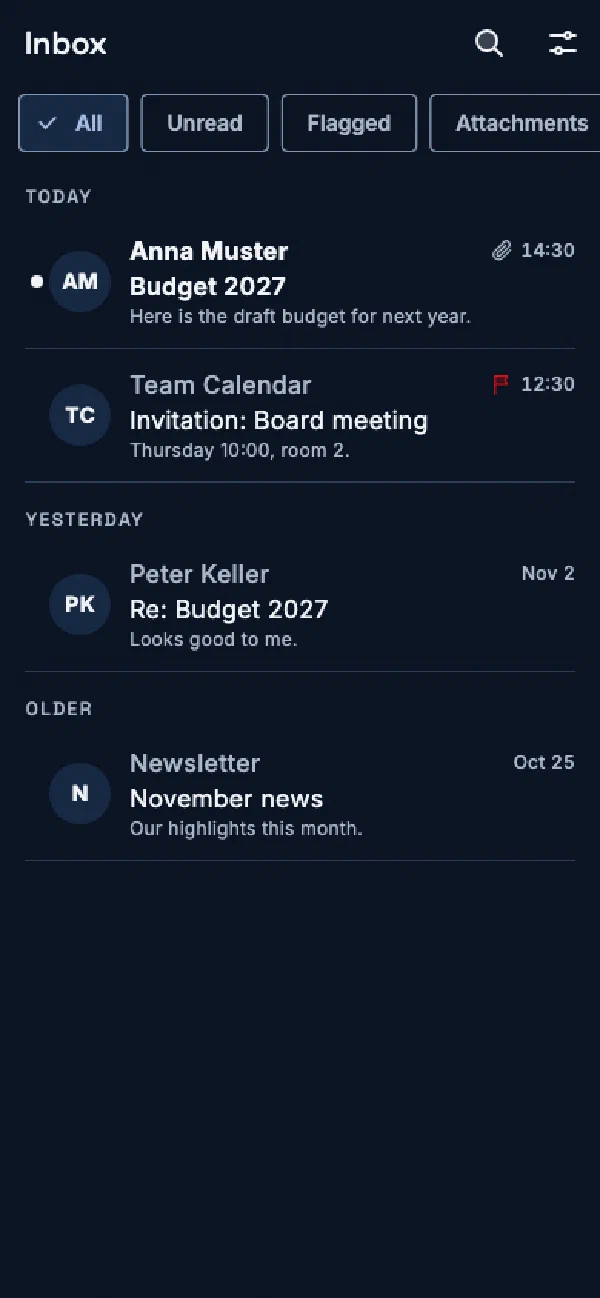
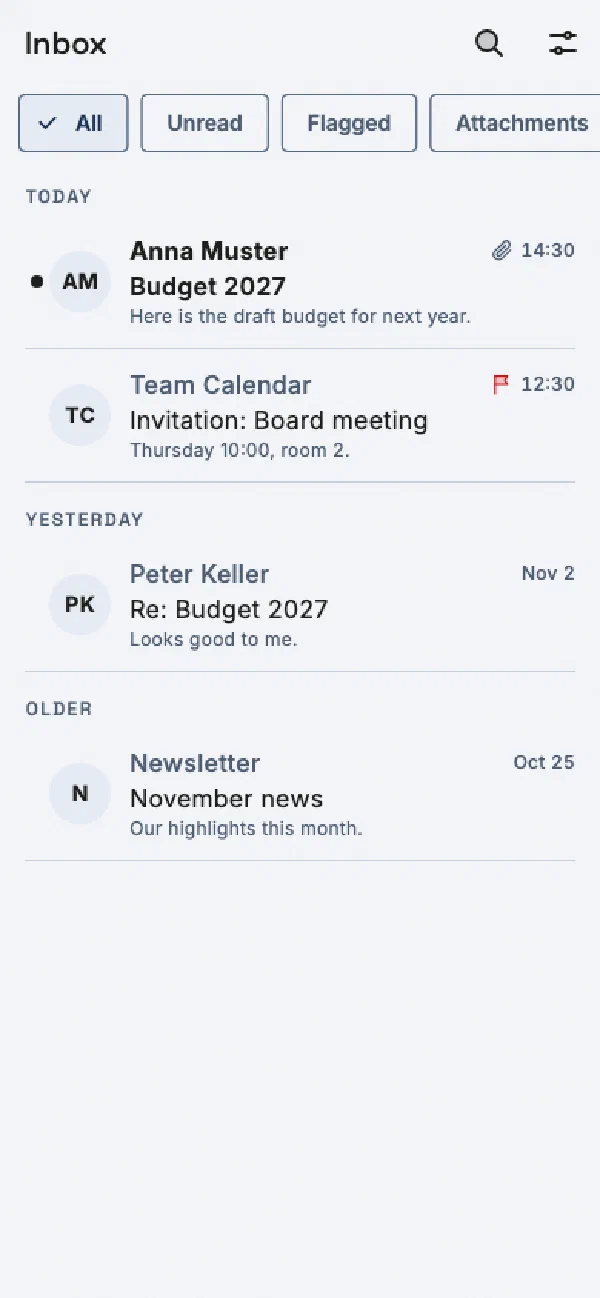
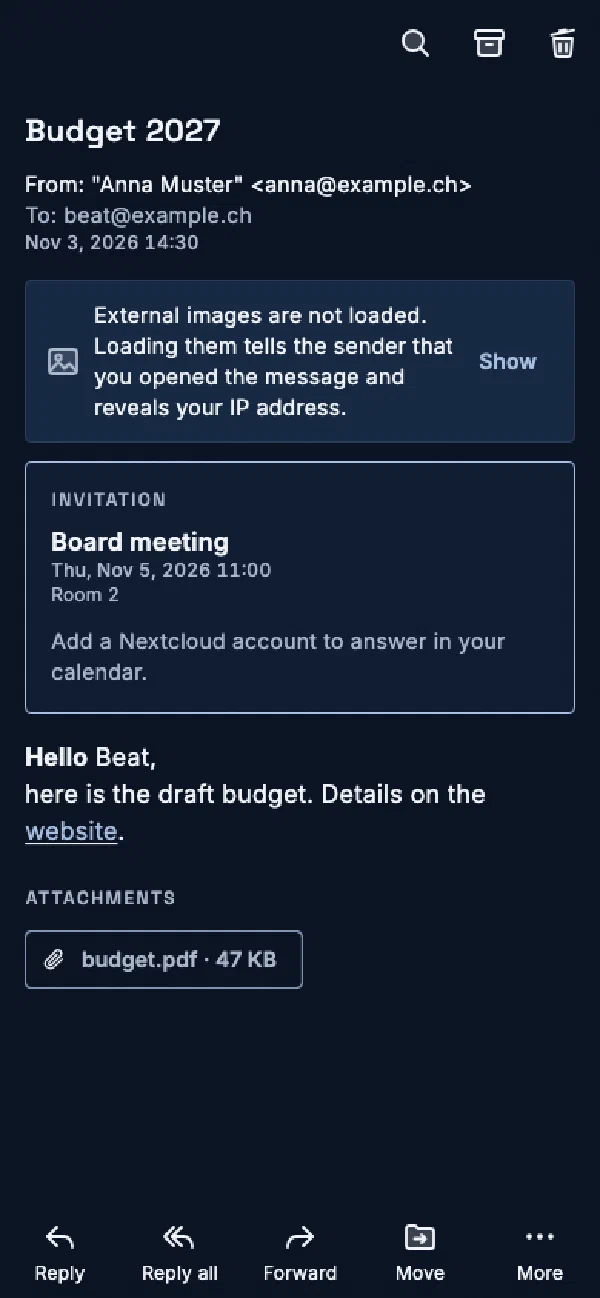
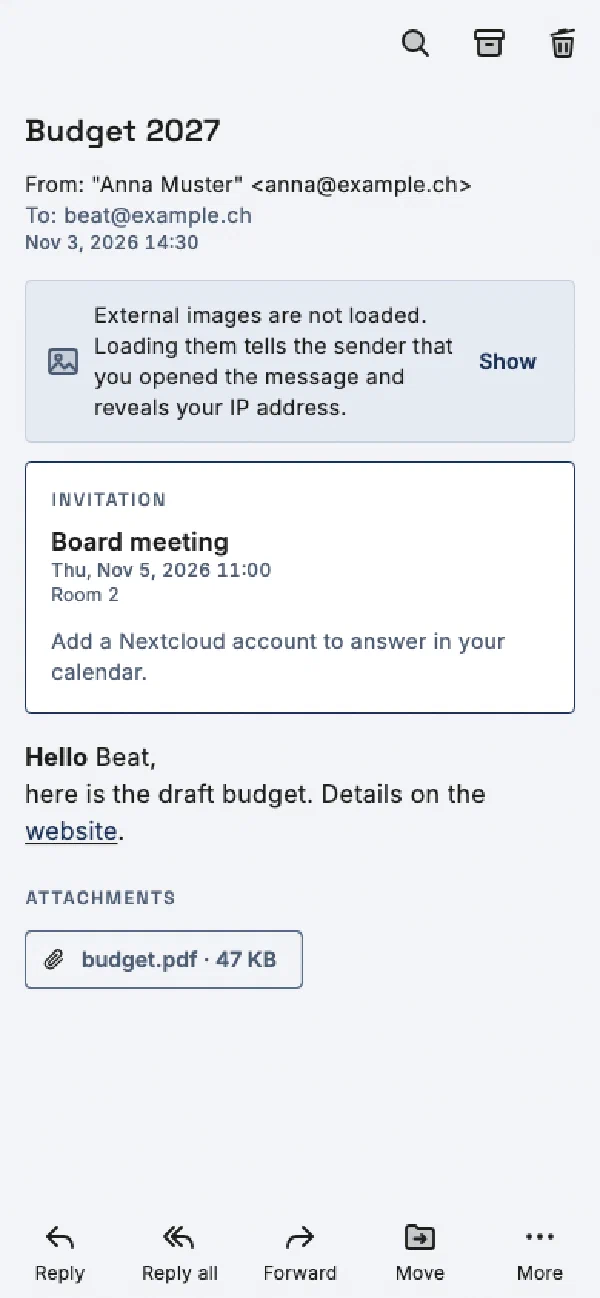
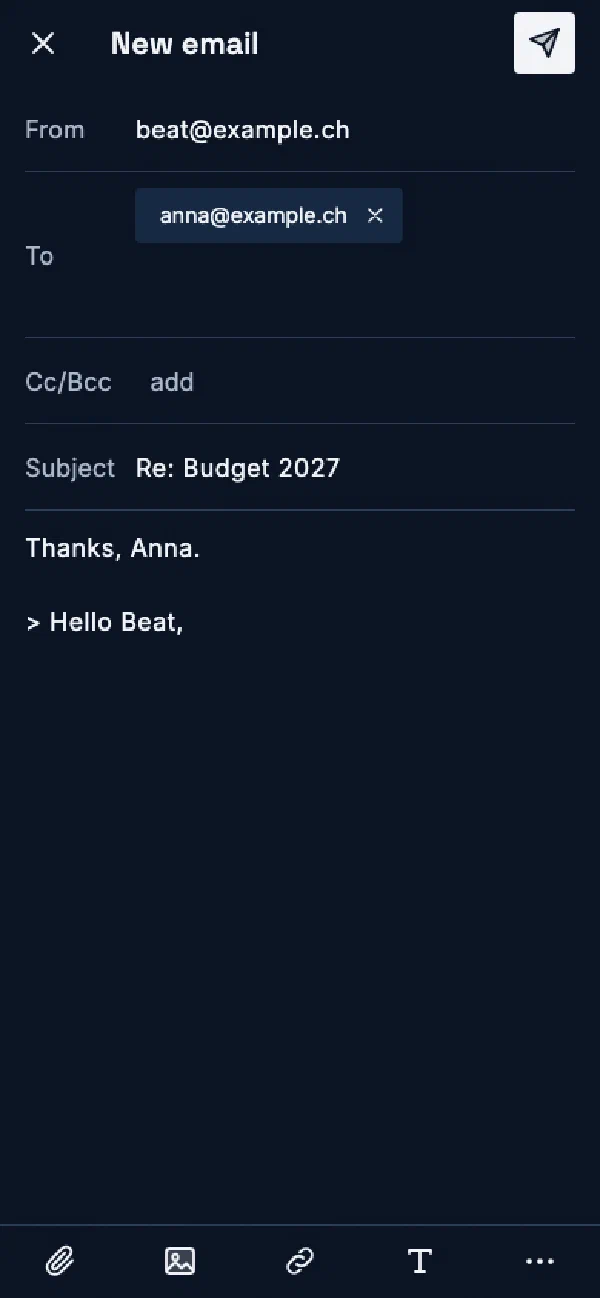
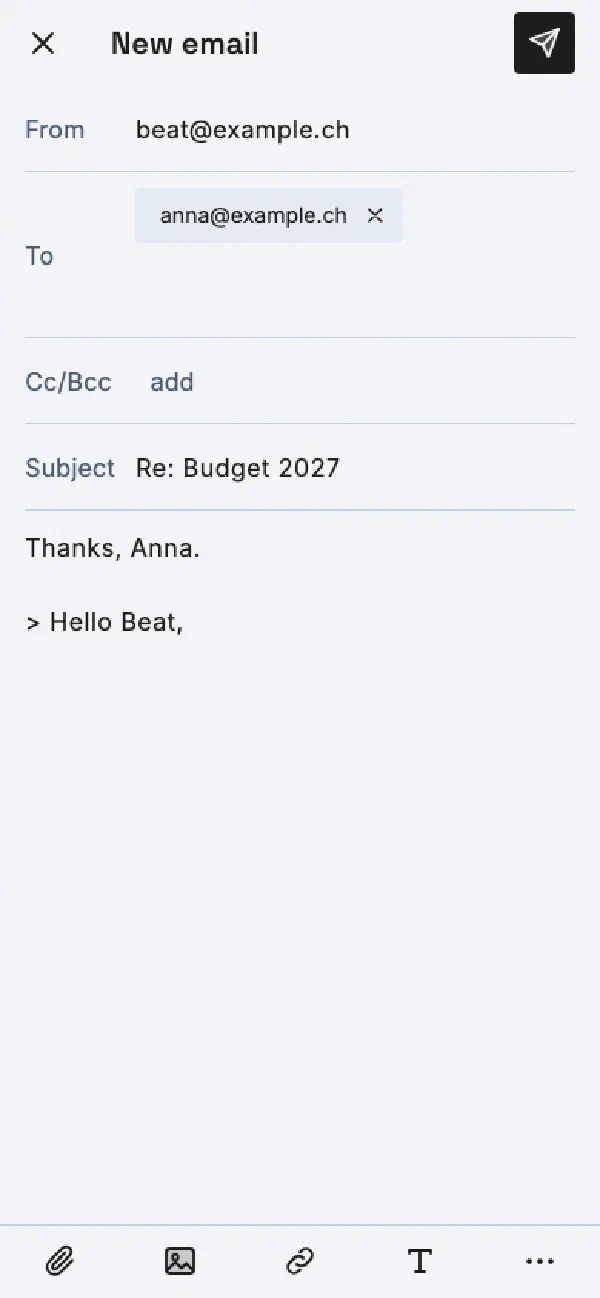
Captures of the app interface from the project's test environment, with invented sample data. Light or dark, matching the selected appearance.
InboxFilters for unread and flagged messages and attachments, grouped by day.
Reading a messageExternal images stay blocked until you allow them. Invitations appear directly in the message.
ComposeReplies with recipient chips, attachments, images, links and formatting.
CalendarAgenda with a join button for online meetings and marked open invitations.
AssistantThe assistant proposes a task; only your confirmation creates it.
Notes offlineNotes created offline stay visible as "pending" until the server confirms them.
Scanning a business cardRecognized fields with notes on uncertainties and a choice of the area to save to.
App lockIf you wish, the app locks itself and opens only after unlocking.
All captures: development status with sample data. Names, addresses and appointments are invented.